nvk_SEARCH
Find Reaper actions, FX, and projects in one place
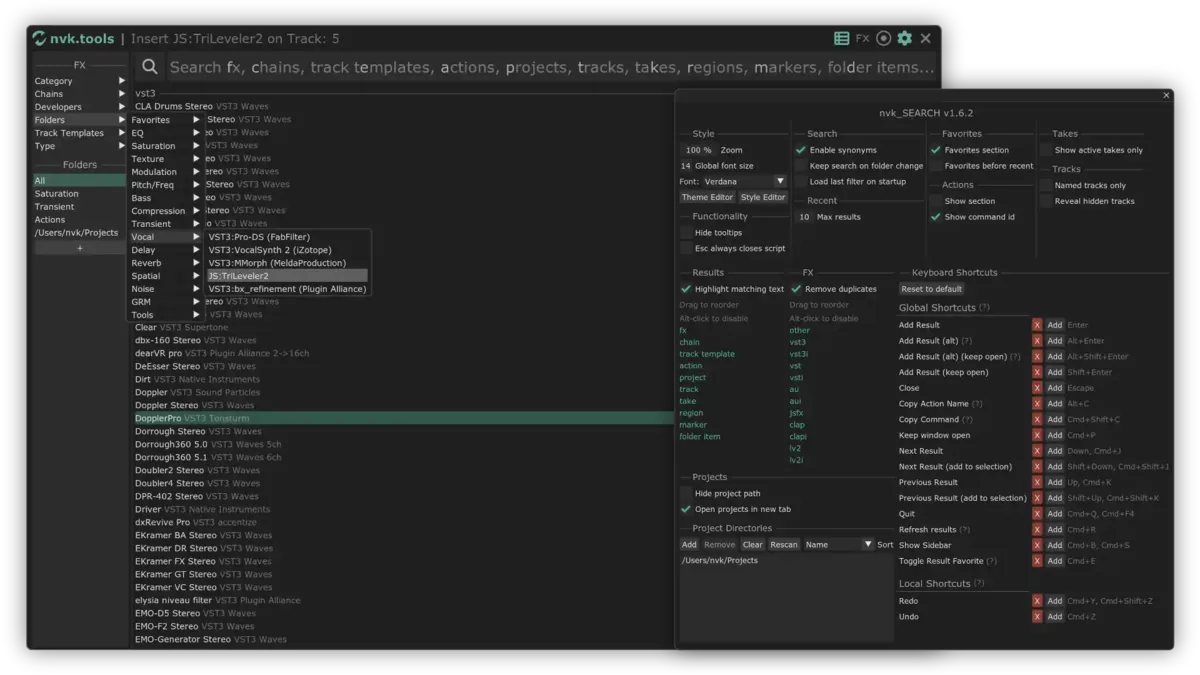
Search Reaper's actions, FX, projects, and track templates from one box, along with tracks, takes, regions, markers, and folder items.
Leave it at $0, or enter an amount to support development. Purchases go through Gumroad.com.
- Free, or name a price
- License key included
- Updates through ReaPack
- macOS & Windows, Reaper 7+
Live results
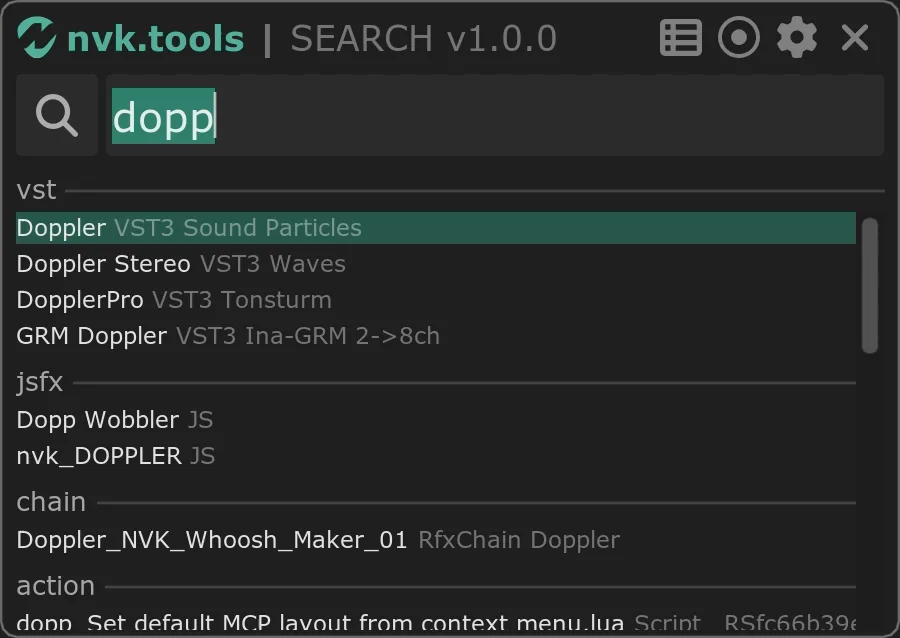
Typing dopp lists doppler plug-ins, JSFX, an FX chain, and actions. With the action filter on, remove take markers narrows it to three actions.
How it works
-

Open nvk_SEARCH
From the Actions list or a keyboard shortcut.
-
Type
A filter key and a space, like f delay, limits results to one type.
-
Press Enter
The action runs, the FX is added, or the project opens.
Features
One search box
Every type shows up in the same results, grouped by type.
Drag FX onto tracks
Drag FX from the results onto a track, take, or FX chain. Drop an instrument below the last track for a new armed track.
Filter keys
a limits the search to actions, f to FX, p to projects.
Custom folders
Group actions, FX, chains, and templates in folders. Alt-click a folder for a random item from it.
Persistent mode
Keeps running after closing and reopens with the last search, without rescanning.
Copy actions for ReaScript
Copy Command copies the selected action formatted for pasting into a ReaScript.
Search syntax
Two spaces with nothing typed clear the filter. The filter button next to the search box opens the same list as a menu.
- f delay
- FX with "delay" in the name
- horse,pig,cow
- Results with any of the words
- horse -pig
- Results with "horse" but not "pig"
- Enter
- Activates the selected result
- Shift+Enter
- The same, and the window stays open
- Esc
- Clears the search
Filter keys
- aAction
- uAU
- cChain
- lCLAP
- dFolder item
- fFX
- iInstrument
- jJSFX
- 2LV2
- mMarker
- oOther
- pProject
- rRegion
- kTake
- tTrack
- eTrack template
- vVST
- 3VST3
Video walkthrough
Reviews
MacOS Spotlight, but for Reaper! nvk_SEARCH is awesome.
Amazing script, so simple to use and so useful ! Bind it to the CTRL + F keys and it becomes so convenient !
For a while I had been looking for a script just like this! Now I can find plugins I usually don't think about! My workflow has sped up considerably. Thank you so very much!
Great addition to the Reaper experience. Application works as advertised, adding speed to one's workflow and eliminates friction during production.
FAQ
Is nvk_SEARCH free?
Yes. Leave the price at $0 or enter any amount. Either way comes with a license key.
How do I install and unlock it?
Follow the install guide, then run nvk_SEARCH in Reaper and enter the license key from the Gumroad receipt.
Can I open it with a keyboard shortcut?
Yes. Assign one in the Actions list like any other action.
Which versions of Reaper and which systems are supported?
Reaper 7 or later on macOS and Windows.
What do I need before installing?
Reaper, ReaPack, the SWS/S&M Extension, ReaImGui, and the js_ReaScript API. The scripts install through ReaPack, and the install guide covers each step.
nvk_SEARCH
Free, or name a price. Updates through ReaPack.
Leave it at $0, or enter an amount to support development. Purchases go through Gumroad.com.
Other nvk.tools cover batch editing and rendering, variations, layered sound design, doppler, and loops. Each paid script has a 14-day trial.
See all tools